Meesho Label Crop क्या होता है?
जब आप Meesho Supplier Panel से orders के shipping labels download करते हो, तो एक A4 size की PDF file आती है। इस PDF के हर page पर दो चीजें होती हैं:
- ऊपर का हिस्सा: Shipping Label — जिसमें customer का address, barcode (AWB number), courier partner का नाम, order ID, और product details होती हैं
- नीचे का हिस्सा: Tax Invoice — जिसमें product ka price, GST breakdown, HSN code, और invoice number होता है
अब problem ये है कि ये पूरा A4 page अगर directly thermal printer (4x6 inch) पर भेजो, तो printer पूरे page को छोटा (shrink) कर देता है ताकि 4x6 sticker पर fit हो जाए। इससे barcode इतना छोटा हो जाता है कि scanner read नहीं कर पाता — और result होता है RTO (Return to Origin)।
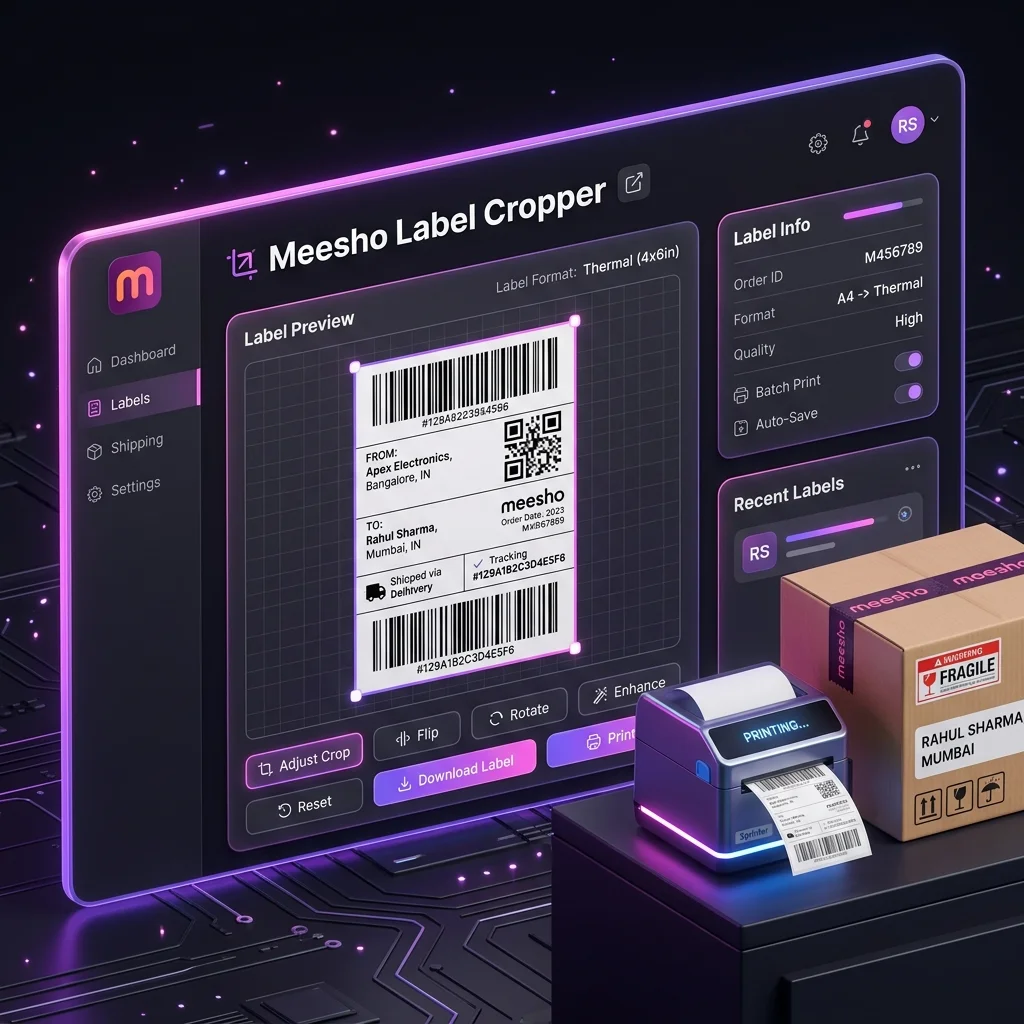
Meesho label crop का मतलब है — इस PDF से सिर्फ shipping label वाला portion निकालना, invoice हटाना, और label को सही size (4x6 inch) में convert करना ताकि thermal printer पर perfectly print हो सके।
एक अच्छा Meesho label cropper tool ये काम automatically करता है — साथ में labels को SKU या courier partner के हिसाब से sort भी करता है, जिससे packing बहुत fast हो जाती है।
Label Crop करना क्यों जरूरी है?
बहुत से नए Meesho sellers सोचते हैं "label तो print हो रहा है, crop करने की क्या जरूरत?" — लेकिन बिना crop किए print करने से ये problems आती हैं:
1. Barcode Scan नहीं होता → Package Reject
A4 page को 4x6 पर shrink करने से barcode की lines बहुत thin हो जाती हैं। Delhivery, Xpressbees, या Valmo के scanners इतना छोटा barcode read नहीं कर पाते। Package pickup पर ही reject हो जाता है या first sorting hub पर RTO mark हो जाता है।
2. Paper Waste
बिना crop किए अगर A4 printer use करो, तो हर label के लिए एक पूरा A4 sheet लगता है — जबकि label सिर्फ page का 25% use करता है। Crop करने के बाद एक A4 sheet पर 4 labels print हो सकते हैं। Monthly ₹3,000-5,000 बचत सिर्फ paper पर।
3. Packing में बहुत Time Waste
बिना sorting के labels random order में print होते हैं — एक Kurti, फिर एक Earring, फिर फिर Kurti... हर label के लिए अलग shelf से product ढूंढना पड़ता है। SKU sorting enable करने से same product के सारे orders एक साथ आते हैं — packing time 50-60% कम हो जाता है।
4. Courier Handover में Confusion
जब Delhivery का boy pickup आता है, तो आपको 100 packages में से Delhivery वाले अलग करने पड़ते हैं — 15-20 minute waste। Courier sorting से पहले से sorted stacks ready होते हैं।
Meesho Label Kaise Crop Kare — Complete Step by Step Guide
नीचे पूरा process दिया है — screenshot लेने जैसी manual मेहनत बिल्कुल नहीं करनी। सब automatic होता है।
Step 1: Meesho से Labels Download करो
- supplier.meesho.com पर login करो
- Orders section में जाओ
- "Ready to Ship" tab select करो
- जो orders dispatch करने हैं उनको select करो (या "Select All" करो)
- "Download Labels" button click करो
- एक PDF file download होगी — इसमें सारे selected orders के labels हैं
Labels हमेशा PDF format में download करो — screenshot मत लो। Screenshot से barcode की quality बहुत खराब हो जाती है। PDF में barcode vector quality में होता है जो print पर crystal clear आता है।
Step 2: Label Crop Tool खोलो
अपने browser (Chrome, Firefox, या Safari) में selleranalyticshub.com/meesho-label-cropper खोलो। ये tool desktop पर भी काम करता है और mobile phone पर भी।
Step 3: PDF Upload करो
Tool में एक बड़ा upload box दिखेगा। अपनी downloaded PDF file को drag and drop करो या box पर click करके file select करो।
- एक साथ multiple files upload हो सकती हैं (अलग-अलग Meesho accounts की)
- कोई file size limit नहीं है — 10 pages या 500 pages, सब handle हो जाएगा
- File कहीं upload नहीं होती — सब कुछ तुम्हारे browser में ही process होता है
Step 4: Settings Choose करो
| Setting | क्या करता है | कब ON रखो |
|---|---|---|
| Sort by SKU | Same product के सारे labels एक साथ group करता है | हमेशा ON — packing 50% fast |
| Sort by Courier | Courier partner (Delhivery, Valmo) के हिसाब से group | हमेशा ON — pickup handover easy |
| Crop Invoice | Tax invoice हटाकर सिर्फ label रखता है | Thermal printer use करो तो ON. Invoice package में डालते हो तो OFF |
| Print Order Number | Label पर Meesho order ID print करता है | Customer complaint handling easy करने के लिए |
| Add Custom Text | Date, shift, या custom message हर label पर | Team-based warehouse operations |
Step 5: Generate करो
"Generate Print-Ready PDF" button click करो। Tool instantly:
- हर page से label crop करेगा
- Invoice remove करेगा (अगर crop mode ON है)
- SKU और courier के हिसाब से sort करेगा
- सब merge करके एक single PDF बनाएगा
Step 6: Summary Check करो
Generate होने के बाद एक summary दिखेगी:
- Total Labels: कितने labels crop हुए
- SKU Breakdown: कौन सा product कितने orders — inventory check करने के लिए
- Courier Breakdown: कौन सा courier कितने packages — pickup verify करने के लिए
Step 7: Download और Print करो
"Download PDF" click करो। Cropped, sorted PDF download हो जाएगी। इसे अपने printer से print करो — thermal या A4 दोनों पर काम करती है।
100 labels वाली PDF को crop + sort + merge करने में 30-60 seconds लगते हैं। Compare करो manual cropping से — जो 2-3 घंटे लेती है। Daily 2 घंटे बचत = monthly 52 घंटे extra time जो आप product sourcing या catalog optimization में लगा सकते हो।
SKU Sorting क्या है और कैसे करें?
SKU (Stock Keeping Unit) एक unique code होता है जो हर product को identify करता है — जैसे "KURTI-BLK-M-001" या "EARRING-GOLD-SET-005"।
जब SKU sorting enable करते हो, तो tool labels को ऐसे arrange करता है कि same product के सारे orders एक साथ print होते हैं। Example:
- Label 1-15: सब Black Kurti M
- Label 16-22: सब Gold Earring Set
- Label 23-30: सब Red Bag Small
इसका फायदा ये है कि अब आपको एक ही product shelf पर एक बार जाना है। 15 Black Kurti एक साथ निकालो, 15 labels match करो, 15 pack करो — done। अगला product। Random shelf trips zero हो जाते हैं।
100 orders packing बिना SKU sorting: 2-3 घंटे
100 orders packing SKU sorting के साथ: 45-60 minutes
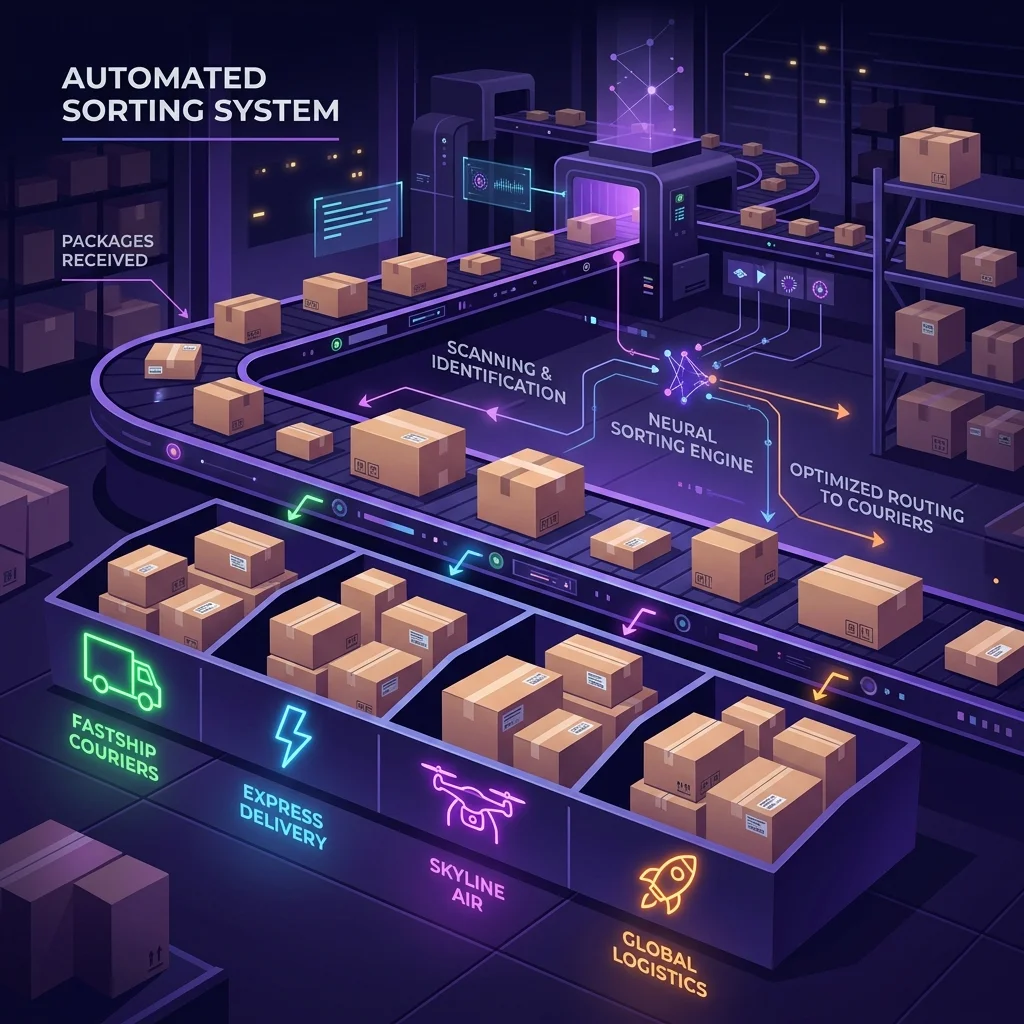
Courier Sorting — Pickup Partner के हिसाब से Labels Sort
Meesho अलग-अलग orders को अलग-अलग courier partners को assign करता है — Delhivery, Valmo, Ecom Express, Xpressbees, Shadowfax वगैरह।
Courier sorting enable करने से labels courier के हिसाब से group हो जाते हैं:
- पहले सारे Delhivery labels
- फिर सारे Valmo labels
- फिर Ecom Express
- फिर बाकी
इसका सबसे बड़ा फायदा: जब Delhivery का pickup boy आता है, तो आपके पास already ready stack होती है। Count match करो, manifest sign करो, parcels दे दो — 2 minute में handover।
बिना sorting के? 100 packages में से Delhivery वाले ढूंढो — 15-20 minute waste हर pickup partner के लिए।
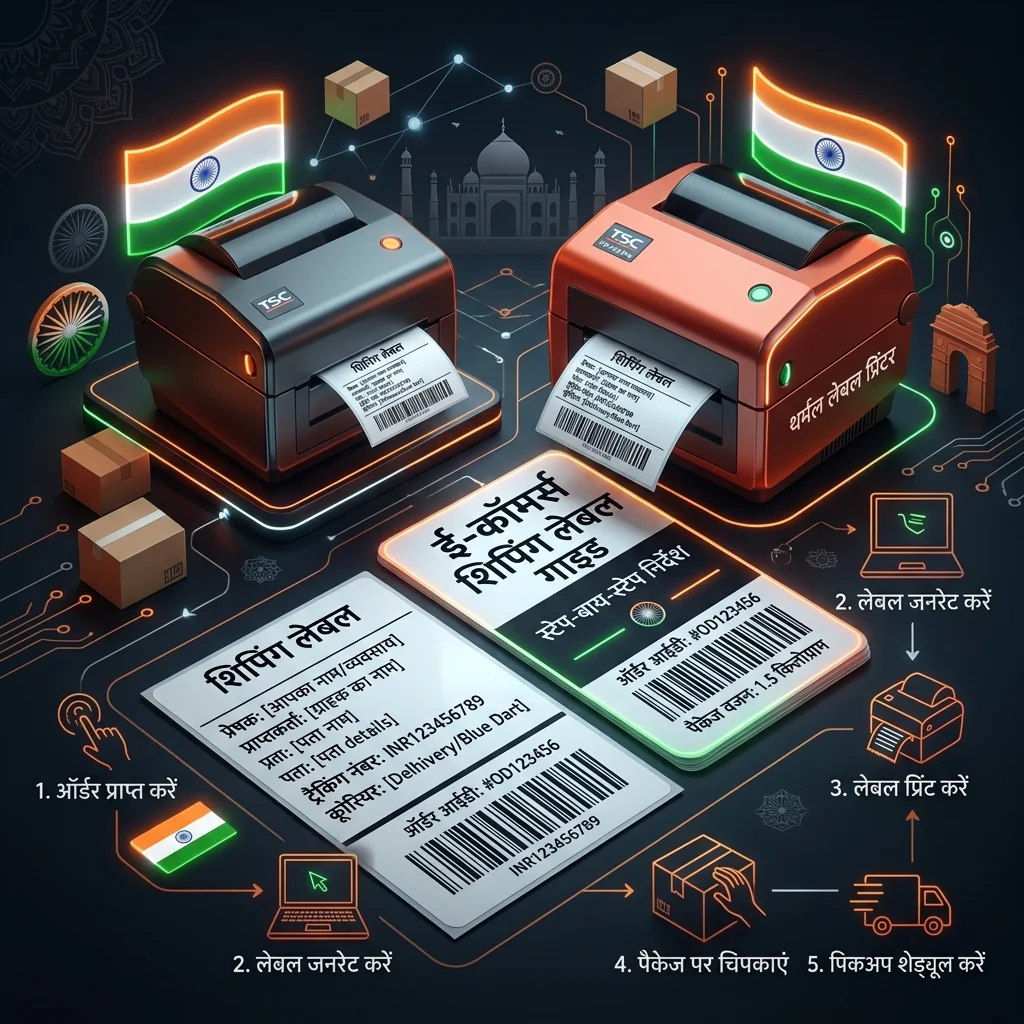
Thermal Printer Settings — सही तरीके से Print कैसे करें
Label crop करने के बाद सबसे important step है correct print settings। गलत settings = unscannable barcode = RTO।
| Setting | सही Value | गलत करने से क्या होगा |
|---|---|---|
| Print Scale | 100% (Actual Size) | "Fit to Page" से barcode shrink हो जाता है → scan fail |
| Margins | 0 mm (None) | Margins से label content cut हो जाता है |
| Paper Size | 4x6 inch (100×150mm) | Wrong paper size से alignment बिगड़ जाती है |
| DPI / Resolution | 203 DPI या 300 DPI | Low DPI से barcode lines blurry होती हैं |
| Orientation | Portrait | Landscape से label rotate हो जाता है |
Recommended Thermal Printers (India)
- Xprinter XP-460B: Budget choice (₹4,000-5,000) — beginners के लिए best
- TSC TE244: Professional (₹8,000-12,000) — 100+ daily orders वालों के लिए
- TVS RP 3150: Indian brand, अच्छी after-sales service
- Zebra ZD420: Premium — बड़े warehouses के लिए
Thermal printer से related detailed guide पढ़ो: How to Crop Meesho Labels for Thermal Printer — Complete 2026 Guide
Invoice Crop या Keep — कब क्या करें?
Invoice Crop करो (remove) जब:
- Thermal printer use करते हो — invoice 4x6 sticker पर fit ही नहीं होती
- Invoice separately print करते हो (Tally, Zoho, या Meesho से अलग download)
- छोटे products (jewelry, accessories) हैं जहाँ A4 invoice package में fit नहीं होती
Invoice Keep करो जब:
- A4 printer use करते हो और full page fold करके package में डालते हो
- GST compliance के लिए physical invoice जरूरी है
- B2B orders dispatch कर रहे हो जहाँ tax invoice mandatory है
Detail guide: Meesho Label Crop With Invoice: Separate Shipping Label & Tax Invoice
Mobile से Meesho Label Crop कैसे करें
बहुत से Meesho sellers phone से ही सारा काम करते हैं — और ये tool mobile पर perfectly काम करता है।
Android/iOS Process:
- Meesho app या supplier.meesho.com से labels PDF download करो
- Phone के Chrome browser में selleranalyticshub.com/meesho-label-cropper खोलो
- Upload box पर tap करो → file manager से downloaded PDF select करो
- Settings choose करो (SKU sort, courier sort, invoice crop)
- "Generate" tap करो
- Cropped PDF phone में download हो जाएगी
- Options:
- WhatsApp से warehouse team को भेजो
- Wireless/Bluetooth thermal printer से directly print करो
- Nearby दुकान पर pen drive में ले जाओ (अगर printer नहीं है)
कोई app install करने की जरूरत नहीं — browser में ही सब हो जाता है।
Multiple Accounts के Labels Merge कैसे करें
अगर आप 2-5 Meesho seller accounts चलाते हो (जैसे एक account Kurtis के लिए, दूसरा Jewelry के लिए), तो daily 3-5 अलग-अलग PDF files download होती हैं।
हमारे tool में इन सबको एक साथ upload करो:
- सारी PDF files एक साथ drag and drop करो upload zone में
- Tool सारी files को ek batch माने गा
- SKU sorting cross-account काम करेगी — अगर दो accounts में same product है तो उसके labels एक जगह आएंगे
- Output: एक single merged PDF — crop, sort, merge सब done
- Summary में per-account breakdown भी दिखता है ताकि verify कर सको
10 आम गलतियाँ जो RTOs बढ़ाती हैं
- "Fit to Page" select करना — barcode shrink = scan fail = RTO
- Screenshot लेना PDF download करने की जगह — image quality too low
- SKU sorting skip करना — random packing = wrong items dispatch
- Print से पहले test scan नहीं करना — 100 labels print करके पता चला barcode काम नहीं कर रहा
- Multi-quantity orders miss करना — customer ने 3 pieces order किए, आपने 1 भेजा
- Courier count verify नहीं करना — pickup executive कम packages ले गया, बाद में dispute
- Cloud-based tool use करना — customer data servers पर upload हो गया = privacy risk
- पुरानी PDF delete कर देना — backup रखो, कभी reprint जरूरी हो सकती है
- Printer margins 0 नहीं रखना — label edges cut हो जाती हैं
- Paper size गलत set करना — 4x6 की जगह A4 set है thermal printer पर
इन गलतियों की detailed guide: Top 10 Meesho Label & Packaging Mistakes That Cause RTOs
Daily Dispatch Routine — Morning SOP
High-volume sellers (100+ daily orders) का optimized morning routine:
| Time | Step | Details |
|---|---|---|
| 8:00 | Orders accept | Meesho panel → New Orders → Accept All |
| 8:15 | Labels download | Ready to Ship → Select All → Download Labels (हर account से) |
| 8:20 | Crop + Sort | Meesho label cropper पर upload → SKU + Courier sort ON → Generate |
| 8:22 | Summary verify | SKU count = inventory available? Courier count noted? |
| 8:25 | Thermal printer, 100% scale, 0 margins | |
| 8:30 | Inventory pull | SKU summary देखकर bulk में products निकालो |
| 8:45 | Pack | Sorted labels follow करो — एक product, सारे orders, फिर अगला |
| 10:00 | Courier sort | Packed parcels को courier stacks में arrange करो |
| 10:30 | Pickup handover | Count verify → manifest sign → done |
ये routine follow करो तो एक person 100+ orders 2 घंटे में dispatch कर सकता है।
Complete dispatch SOP guide: Meesho Order Dispatch: Complete Packing & Shipping Workflow
✂️ अभी अपने Meesho Labels Crop करो — Free!
Meesho label PDF upload करो, SKU और courier sorting enable करो, aur seconds में cropped, sorted, merged PDF download करो। 100% free, browser-based, कोई data upload नहीं होता।
Meesho Label Cropper खोलो →Use the workflow while the article is still fresh.
Open the matching tool and apply the exact process from this guide in the new V2 workspace.