Why Sorting Meesho Labels Is a Game-Changer for Daily Dispatch
When you download shipping labels from the Meesho Supplier Panel, they arrive in a random order — typically sorted by the time each order was placed or the internal order ID. This order has zero correlation with your packing workflow. Your Kurti orders are mixed with earring orders, Delhivery packages are mixed with Valmo packages, and multi-quantity orders are hidden among single-piece shipments.
The result? Your packing table becomes a chaotic, inefficient mess — especially when you cross the 50-order-per-day threshold. Meesho label sort transforms this chaos into an organized, streamlined workflow that cuts packing time by 40-60% and virtually eliminates wrong-item dispatch errors.
Label sorting is not just a nice-to-have. For any seller processing more than 20 orders per day, it is the single most impactful operational improvement you can make — more impactful than faster printers, better packaging tape, or additional staff.
The Unsorted Label Problem — Real Cost Analysis
Let's quantify exactly what unsorted labels cost you. Consider a seller with 100 daily orders across 20 different SKUs and 4 courier partners:
Time Cost — Random-Access Packing
Without sorting, each label requires an independent trip to the inventory shelf:
| Metric | Unsorted | SKU-Sorted | Improvement |
|---|---|---|---|
| Average shelf trips per 100 orders | 100 (one per label) | 20 (one per SKU) | 80% fewer trips |
| Average packing time per order | 1.5 minutes | 0.7 minutes | 53% faster |
| Total packing time for 100 orders | 2.5 hours | 1.2 hours | 1.3 hours saved daily |
| Monthly time saved (26 working days) | — | — | 33.8 hours/month |
Error Cost — Wrong-Item Dispatch
When you pack 100 orders randomly, switching between products constantly, the chance of placing the wrong product in a package increases significantly. Industry data suggests:
- Unsorted packing error rate: 2-4% (2-4 wrong items per 100 orders)
- SKU-sorted packing error rate: 0.2-0.5% (0-1 wrong items per 100 orders)
- Each wrong-item dispatch costs: Forward shipping (wasted) + return shipping + repackaging + customer negative review = approximately ₹80-150 per error
Over a month, reducing errors from 3% to 0.3% on 100 daily orders saves approximately ₹5,000-₹10,000 in direct costs and prevents negative reviews that can hurt your Meesho quality score.
Courier Handover Cost
Without courier sorting, when the Delhivery executive arrives, you or your team must manually search through the entire stack of 100 packages to find the ~40 that belong to Delhivery. This takes 15-20 minutes per pickup partner. With courier sorting, the packages are already in separate stacks — handover takes 2 minutes.
SKU Sorting Explained: How It Works Under the Hood
Here's what happens when you enable Meesho label sort by SKU in a label crop tool:
Step 1: SKU Extraction
The tool reads the text layer of each page in your Meesho PDF. It identifies the SKU field — the product identifier that Meesho assigns based on your catalog listing. This typically appears as a code like "TSHIRT-BLK-M-001" or "KURTI-RED-L-045" on the label.
Step 2: Grouping
All pages with the same SKU code are grouped together. If you have 15 orders for "KURTI-BLK-M" scattered across pages 3, 17, 22, 45, 67, 71, 80, etc. — they are collected into one consecutive block.
Step 3: Ordering
The grouped blocks are arranged in a logical order — typically alphabetical by SKU code, or by frequency (most-ordered SKU first). This means your highest-volume product appears at the top of the printed batch.
Step 4: Output
The reordered pages are compiled into a new PDF. When you print this PDF, pages 1-15 might all be "KURTI-BLK-M", pages 16-22 might be "EARRING-GLD-S", and so on. Your packing team simply works through the stack in order — one product at a time.
The Packing Flow Transformation
Pick label → Read product name → Walk to random shelf → Find product → Walk back → Pack → Repeat 100 times with 100 different shelf trips.
Look at first SKU block (15 labels) → Walk to one shelf → Pull 15 units → Pack all 15 at the table → Move to next SKU block → Walk to next shelf → Pull 8 units → Pack all 8 → Repeat for 20 SKU blocks total. Only 20 shelf trips for 100 orders.
Courier Sorting Explained: Organized Pickup Handover
Meesho dynamically assigns courier partners to each order based on the delivery location, seller zone, courier availability, and cost optimization algorithms. The most common courier partners assigned by Meesho include:
- Delhivery — India's largest logistics network, handles the majority of Meesho orders
- Valmo — Meesho's own logistics arm for select routes
- Ecom Express — Strong in Tier-1 and Tier-2 cities
- Xpressbees — Growing network with good rural coverage
- Shadowfax — Hyperlocal and same-city delivery specialist
- DTDC — Legacy network with broad coverage
When Meesho label sort by courier is enabled:
- The tool reads the courier partner name from each label
- All Delhivery labels are grouped together, all Valmo labels together, etc.
- The output PDF has clear courier-based sections
- When you print and stack the labels, you get naturally separated courier bundles
The Pickup Handover Workflow
Typical Meesho pickup schedule:
| Time | Courier Partner | Without Sort | With Sort |
|---|---|---|---|
| 11:00 AM | Delhivery | Search through 100 packages → find 40 → 15 min | Pick up the "Delhivery" stack → verify count → 2 min |
| 12:30 PM | Ecom Express | Search through remaining 60 → find 25 → 12 min | Pick up "Ecom" stack → verify → 1 min |
| 2:00 PM | Xpressbees | Search through remaining 35 → find 20 → 10 min | Pick up "Xpressbees" stack → verify → 1 min |
| 3:30 PM | Valmo | Whatever's left → 5 min counting | Pick up remaining stack → done → 1 min |
| Total handover time | 42 minutes | 5 minutes | |
Over a month, that's 16 hours saved on courier handover alone — not counting the reduced confusion, fewer disputes about missing packages, and the professional impression it leaves on pickup executives.
Combined Sorting: SKU + Courier Together
The most powerful sorting configuration is enabling both SKU and courier sorting simultaneously. Here's how the hierarchy works:
Sorting Hierarchy
- Primary sort: Courier partner — Labels are first divided into courier groups
- Secondary sort: SKU — Within each courier group, labels are sorted by product SKU
Example Output Structure
📦 DELHIVERY (45 orders)
  ├── KURTI-BLK-M × 12
  ├── KURTI-RED-L × 8
  ├── EARRING-GLD × 15
  └── BAG-BRN-S × 10

📦 VALMO (32 orders)
  ├── KURTI-BLK-M × 5
  ├── KURTI-RED-L × 12
  ├── SAREE-WHT × 8
  └── BAG-BRN-S × 7

📦 ECOM EXPRESS (18 orders)
  ├── KURTI-BLK-M × 8
  ├── EARRING-GLD × 6
  └── SAREE-WHT × 4

📦 XPRESSBEES (8 orders)
  └── KURTI-RED-L × 8
This structure lets your packing team work courier-by-courier. Within each courier section, they pack product-by-product. When the Delhivery executive arrives, the first 45 packages in the stack are already separated and ready.
Quantity Priority: Single-Piece vs Multi-Piece Orders
An often overlooked aspect of Meesho label sorting is quantity priority. Some orders contain multiple units of the same product (a customer ordering 3 pieces of the same Kurti). These multi-quantity orders need:
- A larger box or packaging
- Special attention to ensure all 3 pieces are included
- Sometimes different shipping weight calculations
Our Meesho label cropper offers three quantity priority options for better SKU sorting output:
| Option | Behavior | Best For |
|---|---|---|
| Single first | Single-piece orders appear before multi-piece within each SKU group | Sellers who want to clear easy orders first and handle complex ones at the end |
| Multi first | Multi-piece orders appear before single-piece | Sellers who want to handle complex packaging while they're fresh and attentive |
| No quantity sort | No priority — orders within each SKU group stay in original order | Sellers who don't differentiate packaging by quantity |
How to Sort Meesho Labels — Step by Step
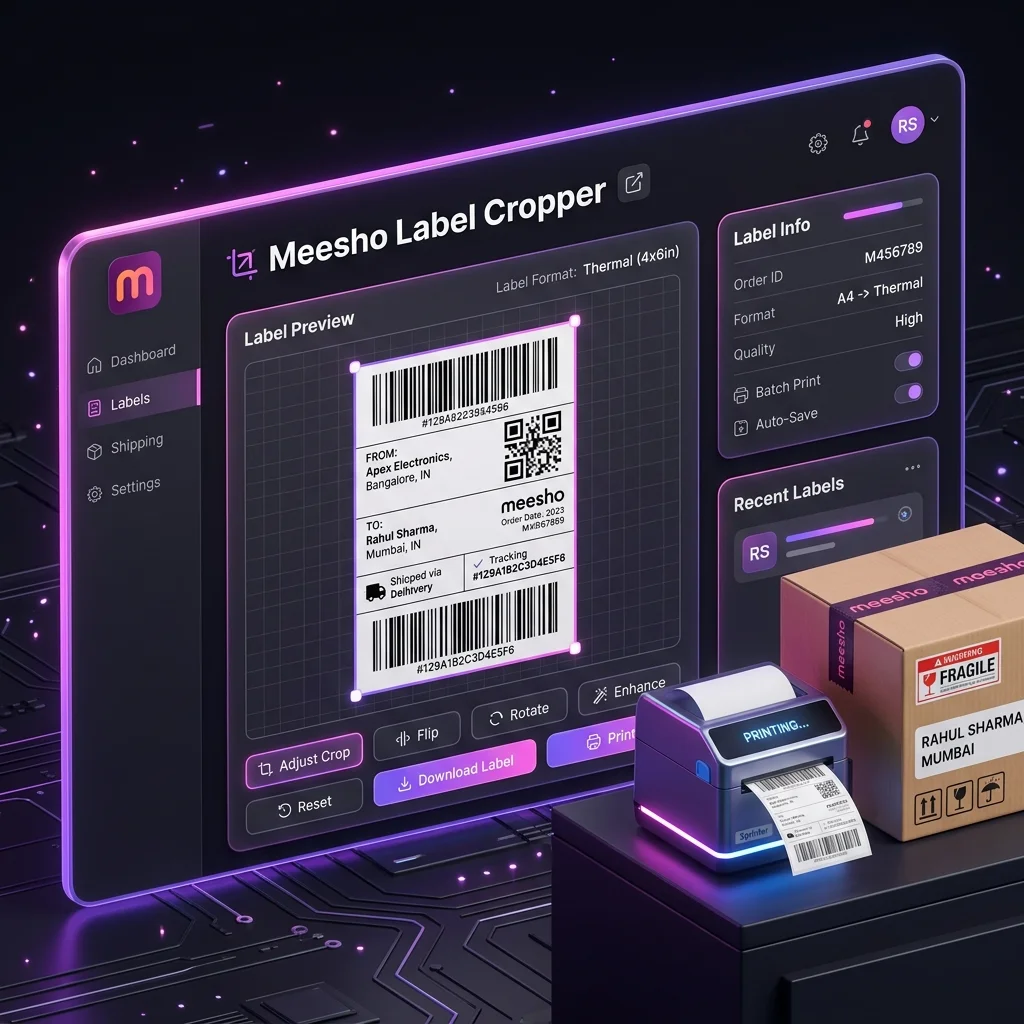
Here is the complete process to sort your Meesho shipping labels using the free Seller Analytics Hub tool:
- Download labels from Meesho Supplier Panel → Orders → Ready to Ship → Download Labels
- Open selleranalyticshub.com/meesho-label-cropper
- Upload your PDF(s) — drag and drop into the upload zone
- Enable sorting:
- Toggle "Sort by SKU" — ON
- Toggle "Sort by Courier" — ON (for combined sorting)
- Select quantity priority — "Single first", "Multi first", or "No quantity sort"
- Configure other options — invoice crop, custom text, order number printing
- Generate → Click "Generate Print-Ready PDF"
- Review the summary — verify SKU counts match your inventory availability
- Download and print
The entire sorting + cropping + merging process takes under 60 seconds for a 150-label batch. The tool does all three operations simultaneously — there's no separate "sort" step. Upload → configure → generate → done.
The Order Summary: SKU & Courier Breakdown Table
After processing, the tool displays a comprehensive summary dashboard. This summary is the unsung hero of the Meesho label sort workflow — it gives you a complete operational snapshot before you print a single label.
SKU Breakdown
A table showing every unique SKU in the batch with the total quantity ordered:
| SKU Name | Qty |
|---|---|
| KURTI-BLK-M-001 | 25 |
| KURTI-RED-L-003 | 18 |
| EARRING-GLD-SET | 21 |
| BAG-BRN-S-007 | 17 |
| SAREE-WHT-FREE | 12 |
| DUPATTA-BLU-001 | 7 |
| Total | 100 |
Why This Matters Before Printing
Before printing labels and starting to pack, use this summary to:
- Check inventory: Do you have 25 units of KURTI-BLK-M in stock? If not, you need to cancel or delay those orders before printing labels.
- Prepare packaging: 21 earring sets need small poly mailers, while 18 sarees need large flat-fold bags — prepare the right packaging materials in advance.
- Estimate packing time: 100 orders with 6 SKUs = approximately 1 hour with SKU sorting.
- Reconcile with Meesho panel: Does the total (100) match the order count shown in the Supplier Panel? If not, some labels may have failed to download.
Courier Breakdown
Similarly, the courier breakdown tells you exactly how many packages each pickup partner will collect. You can proactively communicate with courier hubs if the count is unusually high or if you need to schedule a special pickup.
Warehouse Workflow With Sorted Labels
Here's how a professional Meesho warehouse (50-300 orders/day) operates with sorted labels:
Zone Setup
- Print Station: Where labels are printed and stacked by courier group
- Pick Zone: Where inventory is stored — organized by SKU for easy retrieval
- Pack Station: Where products are matched with labels and packaged
- Courier Staging Area: Where packed parcels are staged by courier partner, ready for pickup
The Sorted Label Flow
- Print: Print the sorted PDF. Labels come out grouped by courier, then by SKU within each group.
- Distribute: Give the Delhivery section to Packer A, the Valmo section to Packer B (if you have multiple team members).
- Pick: Each packer looks at their first SKU block — "I need 12 units of KURTI-BLK-M." They walk to the Kurti shelf once, pull 12 units.
- Pack: Match labels to products one-by-one. Since all 12 labels are for the same product, the packer doesn't need to think — same product, same box size, same packaging process. Just repeat 12 times.
- Stage: All 12 packed parcels go to the Delhivery staging area.
- Next SKU: Move to the next block — "8 units of EARRING-GLD." Walk to earring shelf once. Pack 8. Stage.
- Handover: When Delhivery arrives, point them to their staging area. Count matches the courier summary. Sign manifest. Done.
Sorting Strategies by Business Type
Different Meesho businesses benefit from different sorting configurations:
| Business Type | Daily Orders | Recommended Sort Config | Why |
|---|---|---|---|
| Single-category seller (only Kurtis) | 20-50 | SKU sort only + Single first | Few courier partners, but many size/color variations. SKU sorting groups sizes together. |
| Multi-category seller | 50-150 | SKU + Courier combined | Many products and multiple couriers. Combined sorting gives complete organization. |
| Multi-account operator | 100-300 | SKU + Courier + Multi-file merge | Labels from multiple accounts need merging first, then dual-axis sorting. |
| Warehouse/team operation | 200-500 | Courier first (to split by team) + SKU within | Each team member gets a courier section. SKU sorting within their section speeds individual packing. |
| Home seller (small scale) | 5-20 | SKU sort only | Too few orders for courier sorting to matter. SKU grouping still saves meaningful time. |
Common Sorting Mistakes & How to Avoid Them
Mistake #1: Printing Unsorted Labels "Because It's Faster"
Some sellers skip sorting because adding the sort step "takes extra time." In reality, the sorting process adds less than 30 seconds (it happens automatically during crop/generate). But the packing time savings are 60-90 minutes daily. The ROI is approximately 200:1.
Mistake #2: Sorting by Courier Only, Not SKU
Courier sorting helps with handover but does not help with packing speed. Within each courier group, if labels are in random product order, you still make random shelf trips. Always enable both SKU and courier sorting together.
Mistake #3: Not Checking the SKU Summary Before Packing
The SKU summary tells you exactly how many units of each product you need. If you're out of stock on a SKU, you'll discover this mid-packing — causing confusion, label waste, and the need to cancel orders after printing. Always check the summary first and verify against your available inventory.
Mistake #4: Ignoring Multi-Quantity Orders
A multi-quantity order (customer ordered 3 of the same item) appears as a single label but requires 3 products in one package. If your packing team doesn't flag this, they might pack only 1 unit. Use quantity priority sorting to group these at the beginning or end of the batch where they get special attention.
Mistake #5: Not Using the Courier Summary During Pickup
When the Delhivery executive arrives and says "I have 42 packages to collect," you should immediately check your courier summary. If your summary shows 45, there's a discrepancy — either 3 packages are missing from your stack, or the executive's manifest is wrong. Resolve this before signing the handover. The sorted summary makes this instant verification possible.
📊 Sort Your Meesho Labels in Seconds
Upload your Meesho label PDFs, enable SKU and courier sorting, and get a perfectly organized print-ready batch with a complete order summary. Free, browser-based, no signup.
Open Meesho Label Cropper →Use the workflow while the article is still fresh.
Open the matching tool and apply the exact process from this guide in the new V2 workspace.